
Calibrate your fiber laser once.
Engrave in real color forever.
Laser Color Studio lets you capture your successful laser color settings and reuse them instantly on any SVG file — then export ready-to-run projects for LightBurn and xTool Creative Space with all parameters already applied.
Try free →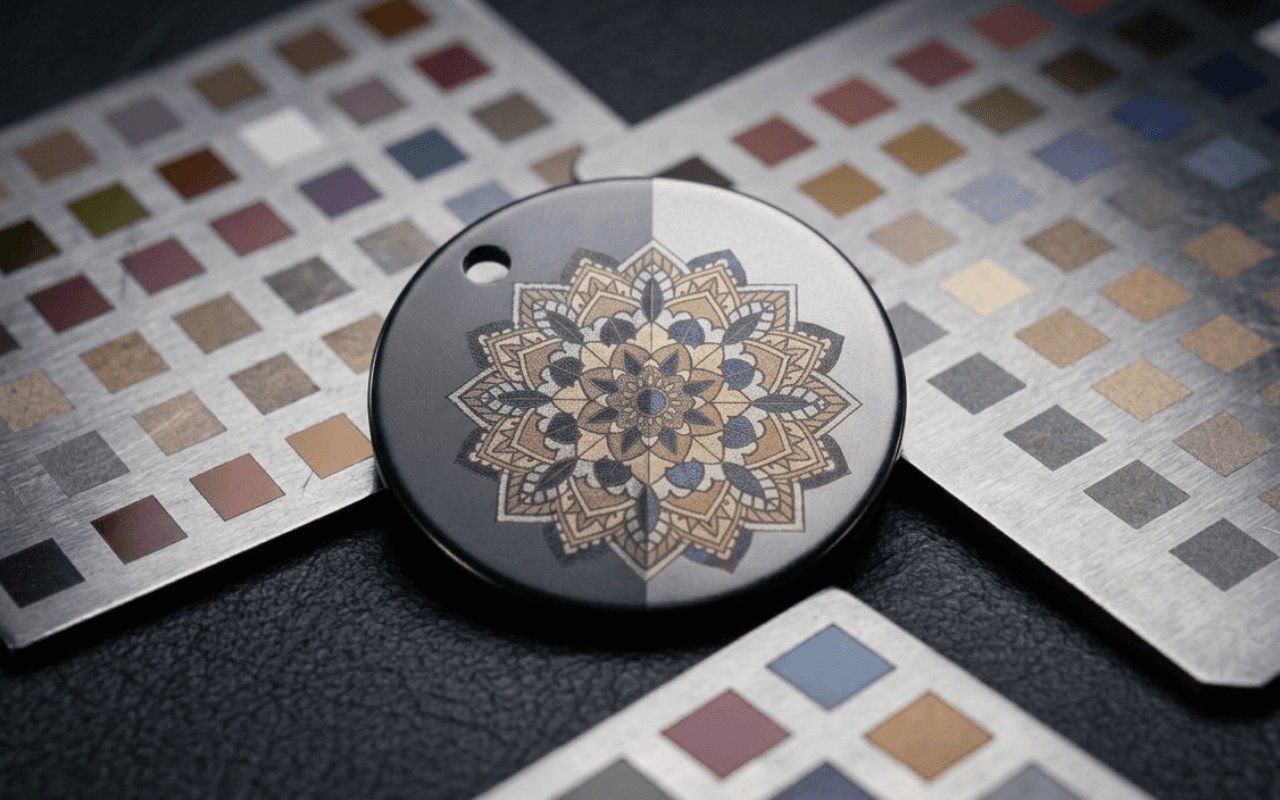
Color on fiber is reproducible — until you try to reproduce it.
You burn a test grid, dial in the perfect blue at 50 kHz, 60% power, 900 mm/s, 200 ns then scribble it in a notebook and hope you can find it again. Applying those settings to new artwork means rebuilding layers by hand in LightBurn every single time. Change the material, lose the file, or come back in a month, and you're calibrating from scratch.
Calibrate → paint → export → burn
Calibrate your machine once.
Generate a parameter-sweep grid for your exact machine and material, burn it, then photograph it and label the colors you got. Laser Color Studio learns your machine's real palette — not someone else's screenshot.
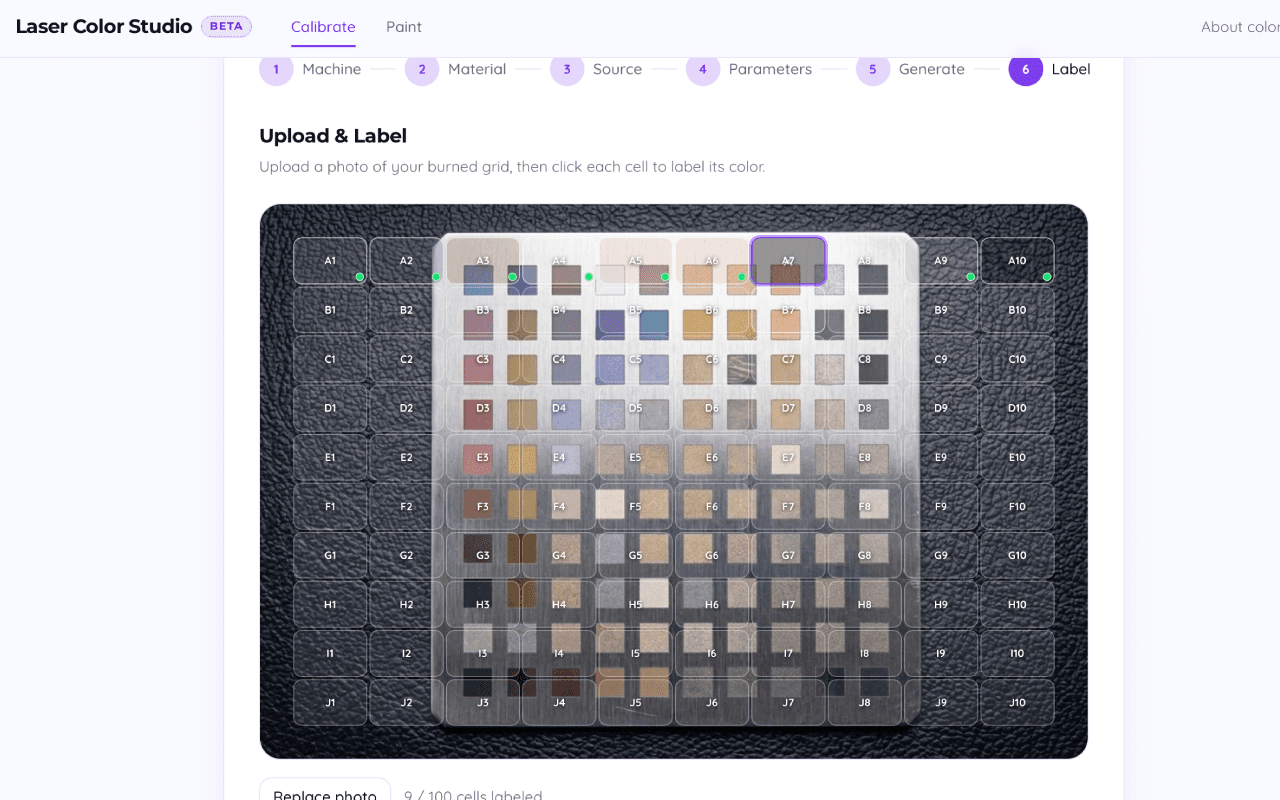
Paint your designs in real color.
Upload an SVG and click regions to fill them with colors from your saved palette. You design with colors, not frequency/speed/lines-cm numbers — the parameters ride along underneath every region.
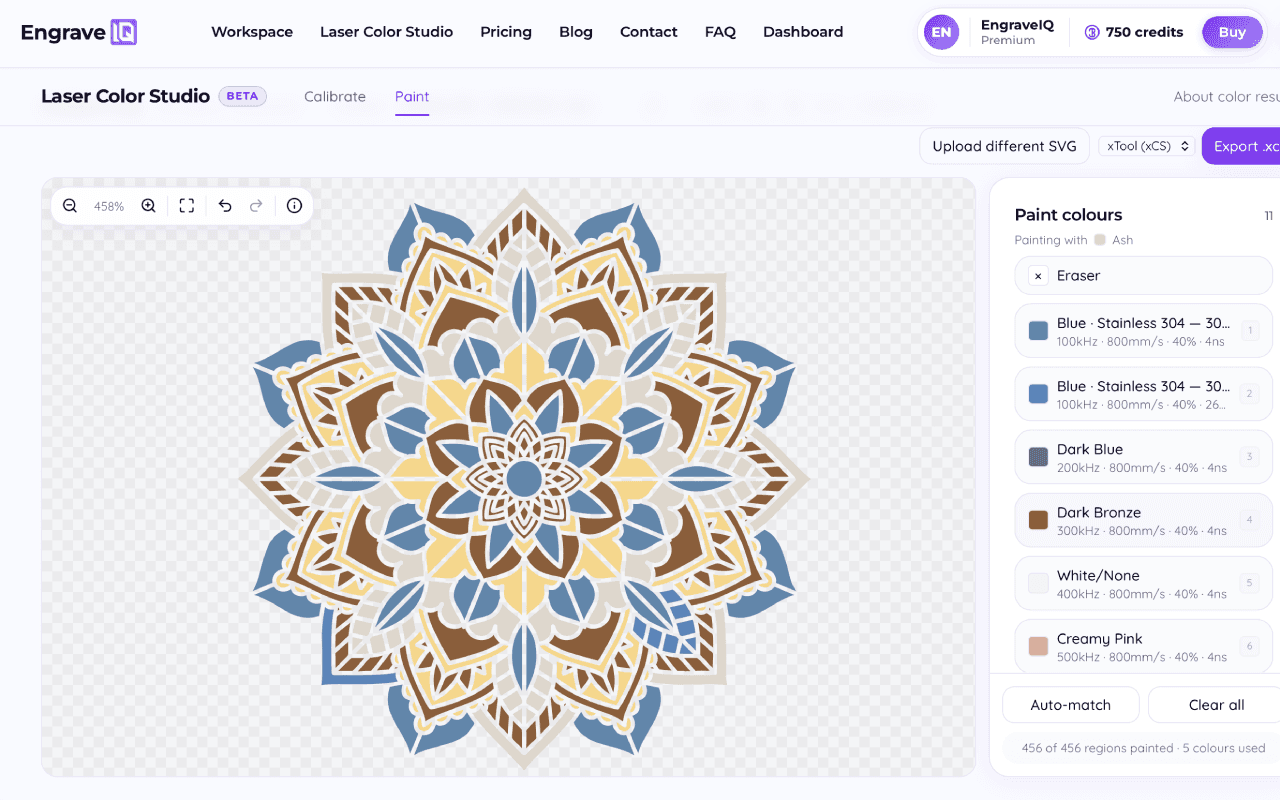
Export ready-to-burn files.
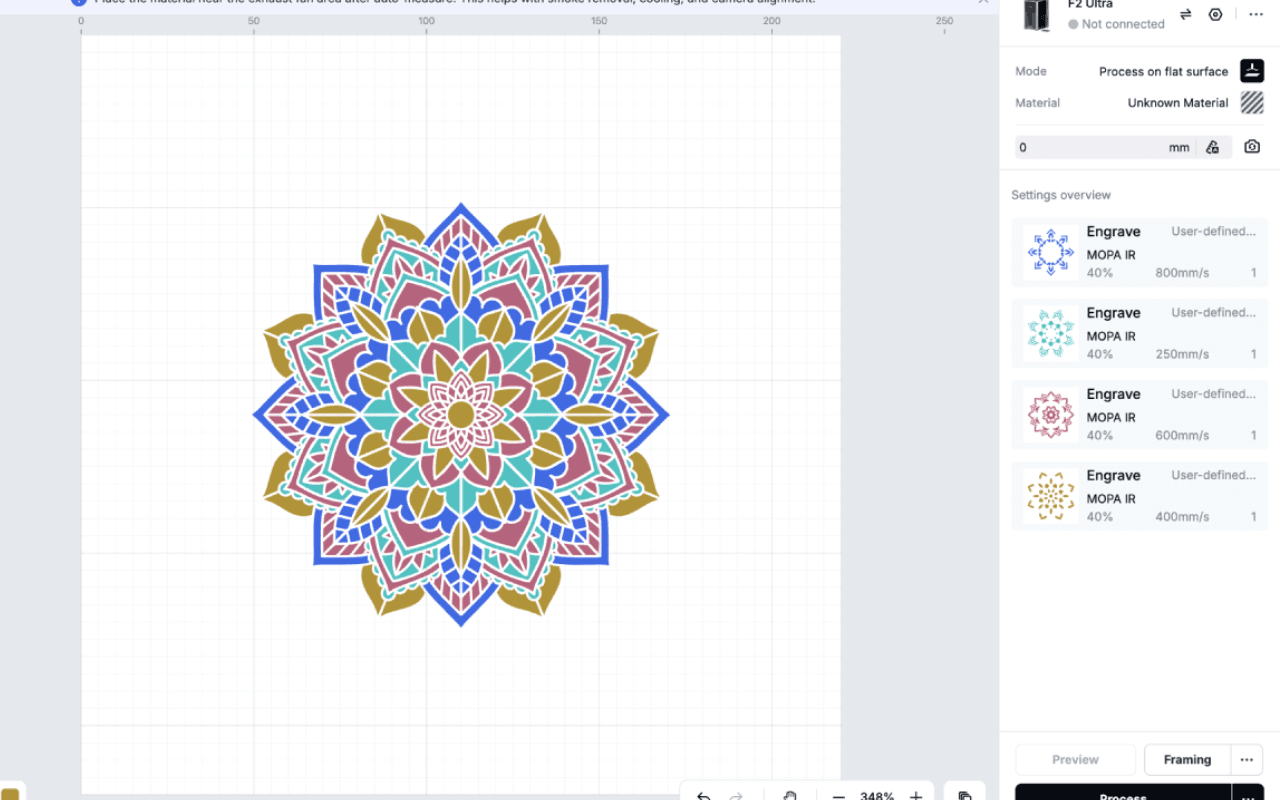
Export a LightBurn (.lbrn2) or xTool Creative Space (.xcs) file with every layer already set to the right parameters. No manual layer setup, no re-typing settings at the machine.
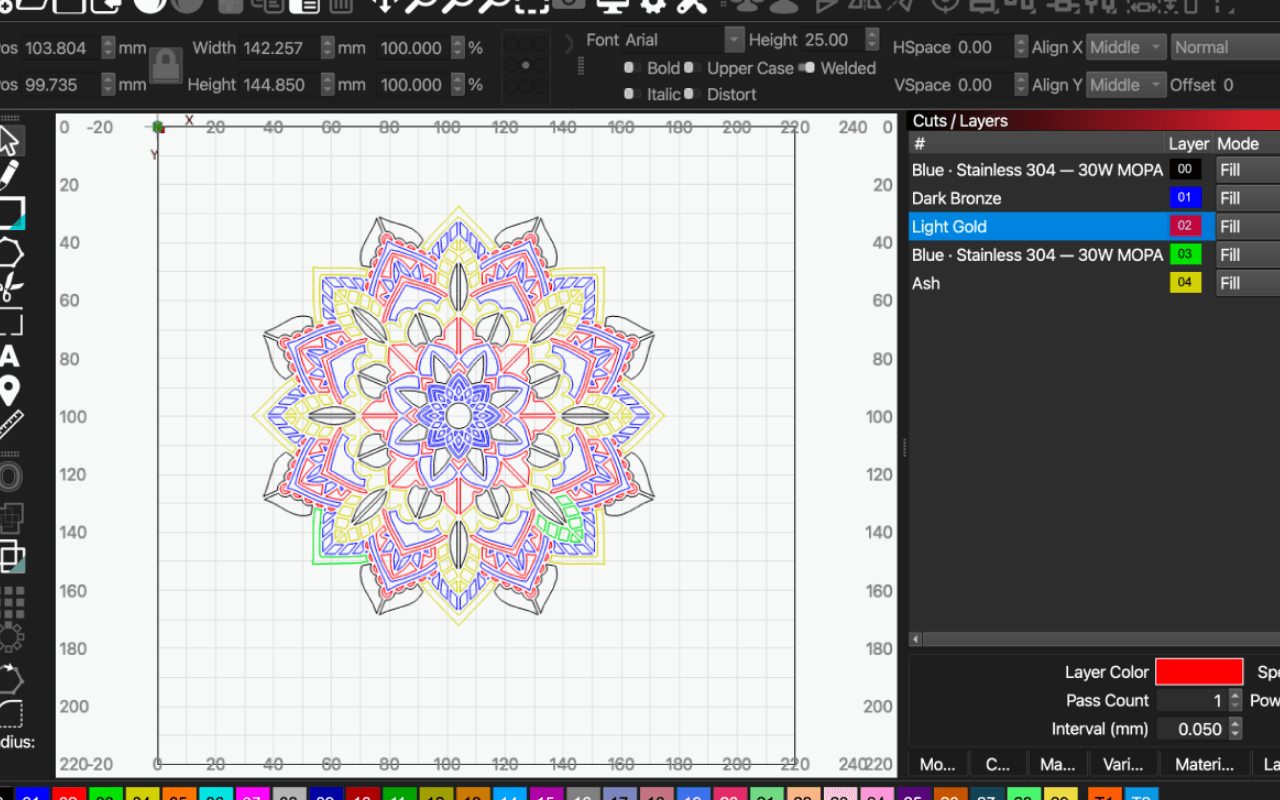
Press engrave.
Open the file, focus, and run. What you painted on screen is what comes off the bed — the same colors you calibrated, on the artwork you designed.
Built for how fiber color actually works
Your calibration is yours.
Profiles store every (machine + material) combination you've dialed in, building a personal color library that only gets more valuable the more you burn.
Works with the software you already use.
Native LightBurn (.lbrn2) and xTool Studio (.xcs) export, with machine-aware parameter handling for MOPA fiber, F1 Ultra, and F2 Ultra — including F2's Color Engrave mode.
Multi-pass and color techniques supported.
Recipes can stack multiple parameter sets per color, so layered and multi-pass color work exports correctly the first time.
Start free. Upgrade when your color library grows.
Laser Color Studio features shown — tap Also in this plan for the rest of your subscription. See full pricing →
- Auto-match colors
- Unlimited exports
- All calibration tools — grid, photo labeling, import, manual entry
- Manual color painting
- LightBurn (.lbrn2) + xTool xCS (.xcs) export
- Auto-match colors
- Unlimited exports
- Profile JSON import / export
- All calibration tools — grid, photo labeling, import, manual entry
- Manual color painting
- LightBurn (.lbrn2) + xTool xCS (.xcs) export
- Auto-match colors
- Unlimited exports
- Profile JSON import / export
- All calibration tools — grid, photo labeling, import, manual entry
- Manual color painting
- LightBurn (.lbrn2) + xTool xCS (.xcs) export
- Auto-match colors
- Unlimited exports
- Profile JSON import / export
- All calibration tools — grid, photo labeling, import, manual entry
- Manual color painting
- LightBurn (.lbrn2) + xTool xCS (.xcs) export
Try free, no credit card needed.
Try free →Free tier includes 3 exports per month and one calibration profile. Upgrade anytime.